
Most brands shopping for server-side tracking tools end up with the same four-part stack, whether they planned it or a vendor pitched it piece by piece. A host such as Stape sends events to Meta and Google Ads, an attribution suite decides which channel gets the credit, a spreadsheet works out margin at the end of the month, and on Monday someone moves budget by hand in each ad account.

Four tools keep four copies of the same order and give four answers to what a campaign earned, and the budget call gets made on whichever number someone opened last.

This list ranks 12 server-side tracking tools by how much of that chain they cover on one set of order data: track, send, measure, price in profit and act. Most stop after sending, and Triple Whale gets closest among the rest. Admetrics runs all five jobs, which is why it's #1.

Key Takeaways

Admetrics is the best server-side tracking tool for brands that judge ads on profit. First-party tracking, server-to-server conversions with contribution margin as the value, multi-touch attribution, POAS down to the SKU and Ad Pilot budget automation on the same order data, from $399/month (S2S pushback is an add-on, Ad Pilot from Business).
Most server-side tracking tools stop after sending. Stape, Google's server container, TAGGRS, Addingwell, Elevar, Littledata, Tracklution and Segment collect and deliver events. None of them reports profit by campaign or moves budget.
Triple Whale comes closest to the full loop. Triple Pixel, Sonar to ten platforms, attribution and Moby actions cover four jobs, but profit stops at net profit with no contribution margin.
Free tiers make testing cheap. Stape and TAGGRS start free up to 10,000 requests, Addingwell up to 100,000 and Tracklution up to 5,000 events. Stape's paid hosting plans start at $17/month.
EU data residency narrows the field. Admetrics hosts in Germany, TAGGRS in the EU, Tracklution in Stockholm, and Stape offers EU-only hosting. Littledata and Hyros process data in the US.

Server-side tracking is one job in a loop of five

Server-side tracking gets sold as the fix for broken numbers. It fixes the count. What you do with the count takes four more jobs, and a gap in any of them shows up in the budget.

Track. Collect first-party events on your own domain and match each one to a real order in your store, with the visitor's consent state attached. Without it, the browser pixel loses the visitors that blockers and Safari cut off, and nobody can tell a duplicate from a second sale.

Send. Pass those conversions server-to-server to Meta's Conversions API, Google Ads and TikTok's Events API, deduplicated against the browser pixel. This is what most people mean by server-side conversion tracking, and Google Ads server-side tracking, through enhanced conversions or a server container, belongs here too. When sending is missing, the bidding algorithms optimize on whatever share of purchases the browser managed to report.

Measure. Credit channels with a model that doesn't belong to the platforms being judged. Without it, Meta and Google each report their own share of the same orders, and the purchases they claim add up to more than Shopify recorded. Server-side sending won't close that gap. Meta's over-count comes mostly from view-through credit, attribution windows and modeled conversions, which makes it a measurement problem rather than a delivery one.

Price in profit. Judge campaigns on contribution margin after product cost, shipping, payment fees and returns. Without it, a campaign that sells low-margin products with high return rates looks as strong as one that sells your best earners, because revenue counts every sale the same.

Act. Move budget toward the campaigns that earned margin, inside rules someone set. Without it, the first four jobs end in a report, and the money stays where it was until a media buyer finds the time.

Google Ads shows where the chain usually breaks. A server container can send enhanced conversions with hashed customer data and even a margin value in place of revenue, and Smart Bidding gets better inputs as a result. Nothing in that setup tells you what Google earned next to Meta, or whether budget should move between them.

A host can fix the count without telling you which channel paid for itself, and an attribution suite can tell you which channel paid without changing what the platforms learn from. Running all five jobs on the same order data means the number Meta bids on and the number you judge Meta by come from one record.

01Track02Send03Measure04Price in profit05ActEvery job reads the same shop orderManaged hosts and Shopify appsAttribution suitessome, partlyAdmetrics

How we ranked the tools

We started from the tools DACH and EU ecommerce teams are most often offered for server-side tracking: managed sGTM hosts, Shopify apps, attribution suites with their own send-back, a pipeline that skips GTM, and one customer data platform. Twelve made the list.

The ranking runs in two steps. First comes how many of the five jobs a tool covers on the same data, with a partial mark where it does only part of a job, such as sending profit as a conversion value without reporting profit by campaign. Then comes how well it does them:

▪Destinations and match quality. Which ad platforms receive events server-to-server, and how events are matched to orders and deduplicated.
▪Checks against store orders. Whether the tool compares what it sent with what your store recorded.
▪Consent and hosting. Whether consent travels with each event, and where the data is stored.
▪Setup effort and cost. GTM work, paid installation, entry price, and what makes the bill grow.

Server-side tracking tools compared

#
PLATFORM
ATTRIBUTION
PROFIT CONTROL
S2S PUSHBACK
ACTION
1
Admetrics
Multi-touch + PRISMA mix model
CM2, CM3, POAS to SKU
Meta, Google, TikTok and more (add-on)
Ad Pilot executes on Meta
2
Stape
No
Profit as value only
Wide server tag catalog
No
3
Google sGTM
No
DIY enrichment
Google built in, others via templates
No
4
Triple Whale
Triple Pixel, MMM add-on
Net profit, no CM
Sonar, 10 platforms
Moby Actions
5
Polar Analytics
Polar Pixel, multi-touch
CM1–CM3
Meta and Google, sold separately
No
6
Elevar
No
Profit value (Advanced+)
35+ server-side destinations
No
7
Hyros
Custom models, call tracking
COGS-based profit
Meta, Google, TikTok
No
8
TAGGRS
No
Profit as value
Via sGTM tags
No
9
Littledata
No
Profit value (beta)
GA4, Meta, Google Ads and 6 more
No
10
Tracklution
Labels only
Via webhooks
9 CAPI connectors
No
11
Addingwell
No
Margin as value
Via sGTM tags
No
12
Twilio Segment
No
No
550+ destinations
No

Admetrics

★5.0

Best for: ecommerce brands spending across Meta, Google and TikTok that want server-side conversions to carry profit, and want the same system to judge channels on contribution margin and move budget toward what earned it.
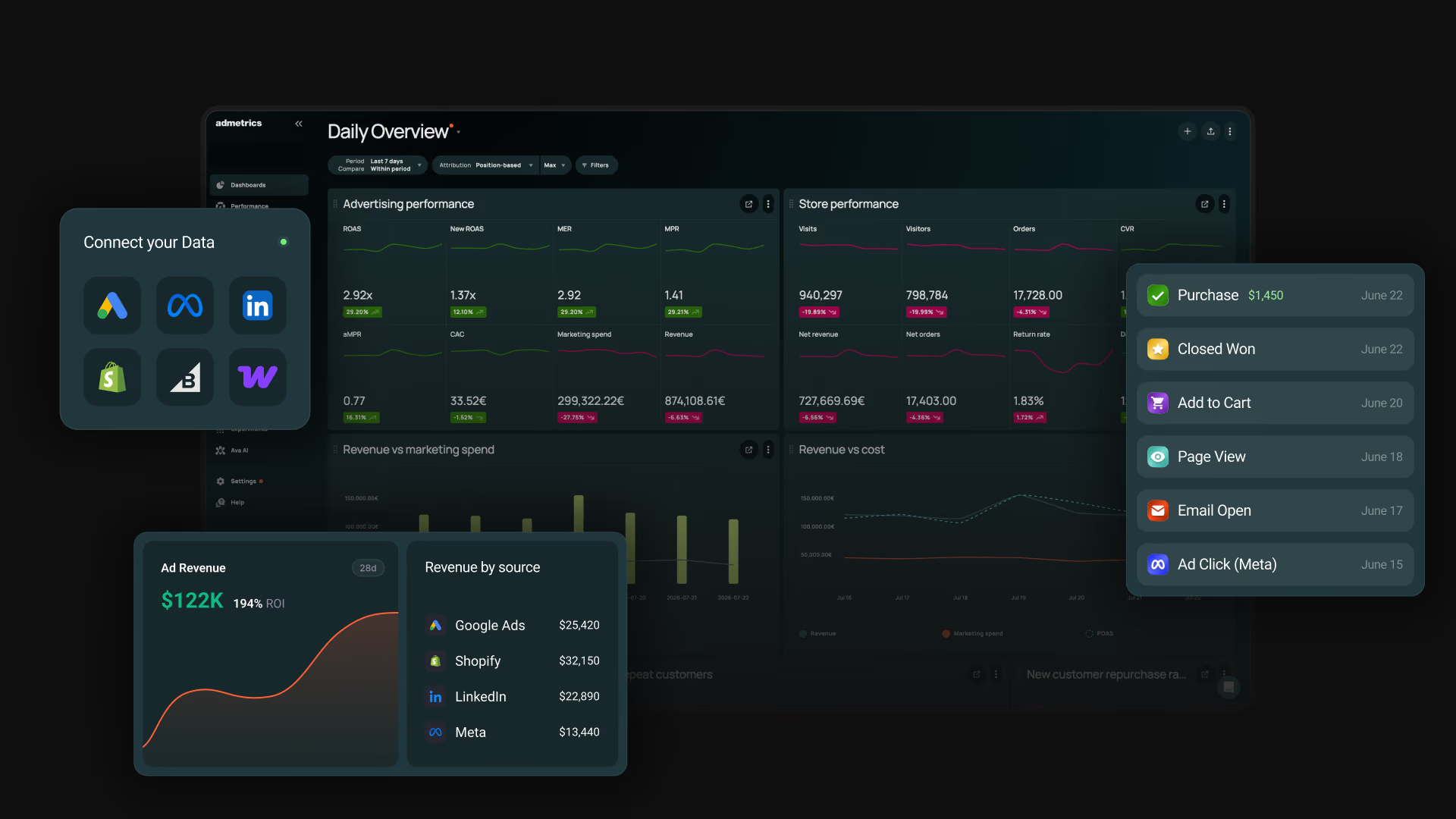
Admetrics dashboard showing server-side tracking, attribution and profit reporting for DTC brands

Admetrics covers all five jobs on the same order record. Each purchase is matched to its journey and its costs, sent server-to-server with the value you pick, credited by Admetrics' own attribution and mix model rather than the platforms' reporting, priced in contribution margin, and used to move next week's budget. The step from report to budget change happens inside the product, not in a spreadsheet.

Key features

▪Order-matched first-party tracking. Journeys are stitched across devices and sessions and anchored to shop orders, with each visitor's consent state attached to every event.
▪Conversion Signals. Server-to-server delivery to Meta, Google and TikTok, plus Outbrain, Taboola, Teads and ChatGPT. Each event is matched to the real shop order and deduplicated against the browser pixel.
▪Profit as the conversion value. Each platform can receive revenue, contribution margin after product cost, logistics and transaction fees, or an attribution-weighted value.
▪New and reactivated customer events. First-time and win-back buyers go out as separate events to every connected platform. You choose per platform whether it optimizes for every purchase, new customers only, or new and reactivated together.
▪Multi-touch attribution and PRISMA. Compare attribution models, add the PRISMA marketing mix model (a Custom-plan add-on), and see Admetrics numbers inside Meta, Google and TikTok through the Chrome extension.
▪Profit down to the SKU. CM2, CM3 and POAS by campaign and product, with returns, shipping and payment fees included.
▪Budget Optimizer and Ad Pilot. Budget Optimizer proposes cross-channel budget moves. Ad Pilot adjusts Meta budgets hourly inside the caps you set, or waits for your approval, with every move logged and reversible.

Strengths

What you send is what you measure. The value Meta bids on and the margin in your channel report come from the same order, so the algorithm and your team optimize toward the same number.
Profit reaches the algorithm and the report. Several hosts on this list can swap revenue for margin in the event. Admetrics also shows which campaigns, products and customer types produced that margin.
Budget automation you control. Ad Pilot works toward a CAC, POAS or new-customer ROAS target inside capped moves. Through Black Friday and other peak weeks you can set it to approval-only, so every budget change waits for a sign-off.
Built for EU data rules. Data is hosted on German servers, consent travels with each event, and a DPA and records of processing come ready for your data protection officer.
Works beyond Shopify. Shopify, Shopware, WooCommerce, Magento, JTL and custom stores connect, with unlimited shops, users and integrations on every plan.

Limitations

S2S pushback is a paid add-on. Server-side sending is priced on top of every plan and quoted with it.
Ad Pilot executes on Meta only for now. Google is next.
PRISMA and Budget Optimizer are Custom-plan add-ons. Growth and Business get attribution, profit reporting and budget management, without the mix model.

Pricing

Growth costs $399/month and includes the first $20,000 of monthly ad spend, with 1.5% above that. Business costs $899/month with $70,000 included and 1% above, and Custom is quoted for brands spending more than $100,000 a month. At $50,000 of monthly ad spend, Growth comes to $849: $399 plus 1.5% of the $30,000 above the allowance, before the S2S add-on. Annual billing saves 15%, and there's a 21-day free trial with no card required. S2S conversion pushback is an add-on on every plan, Ad Pilot comes with Business, and PRISMA and the Budget Optimizer are Custom add-ons. Budget management across Meta, Google, TikTok and Microsoft is included on all plans.

Reviews

Admetrics scores 5.0 on the Shopify App Store and 4.8 on G2. Reviewers mention onboarding help and reports that are easy to read. None of the reviews is negative.

Bottom line

Stape or TAGGRS will send your events for less. Then you still need an attribution tool, a margin spreadsheet and someone moving budget by hand every Monday. Admetrics replaces that whole stack: every order is tracked, sent to the ad platforms with its margin, credited by Admetrics' own models and priced in contribution profit, and Ad Pilot moves Meta budgets toward what earned it, with Budget Optimizer adding cross-channel moves on Custom. It's the only tool on this list that covers all five jobs, from the server-side event to the budget decision, and the one to start with if you're spending across Meta, Google and TikTok.
Book a demo

Stape

★3.9

Best for: teams comfortable in Google Tag Manager who want a managed server container at a low price, with a wide catalog of ready-made tags.
Stape homepage presenting its managed server-side GTM hosting

Stape doesn't replace server-side GTM. It hosts it for you, on your own subdomain, and adds a set of paid and free "power-ups" around the container. For most teams that makes it the cheapest serious way into server-side tracking. The work of building the web container, the tags and the triggers is still yours or your agency's.

Key features

▪Managed sGTM hosting. Server containers on your subdomain, sized by monthly requests, with an EU option on Scaleway data centers in Italy, the Netherlands, Poland and France.
▪Custom Loader. Serves the GTM and GA4 scripts from a path on your own domain, where blockers are less likely to catch them. Free on every plan.
▪Cookie Keeper. Restores marketing cookies that Safari would otherwise expire after seven days (Pro and up).
▪Click ID Restorer. Puts back the Google and Microsoft click IDs that Safari and Brave strip in private browsing.
▪POAS Data Feed. Stores product costs so tags can send profit instead of revenue (Pro and up).
▪Gateways. Single-platform setups for Meta, TikTok and Snapchat, plus a container-free gateway for GA4 and Google Ads.

Strengths

Price and reach. At $17 a month for 500,000 requests (billed annually), no other host here has a cheaper paid entry plan, and its catalog of ready-made server tags runs from the big ad platforms to Amazon, Spotify and affiliate networks.
Compliance paperwork. Stape lists ISO 27001 and SOC 2, offers EU-only hosting, and signs a HIPAA BAA on its custom plan.

Limitations

You still build the setup. Tags, triggers and the web container live in GTM, and Stape's own Shopify guide assumes a working web container. Without GTM skills you'll pay for setup, which Stape sells from $1,100.
No attribution or profit reporting. Request analytics show traffic volume. Nothing tells you which channel earned the order or what it was worth after costs.
Profit only as a conversion value. The POAS feed changes the value sent to Google or Meta, but there's no report of profit by campaign or product to check it against.
Hard limits on volume. A container pauses once it passes 110% of its plan's requests (with a one-time grace period on Business and up), and monitoring with alerts starts on the $83 Business plan.

Pricing

Free up to 10,000 requests. Pro $17 a month (500,000 requests), Business $83 (5 million), Enterprise $167 (20 million), all billed annually; custom above that. Single-platform gateways start at $8 a month.

Reviews

Stape scores 3.9 on Trustpilot, 4.2 on the Shopify App Store and 4.3 on G2. Happy reviewers say it's far easier than hosting GTM on Google Cloud yourself. The unhappy ones describe slow support and having to contact support to cancel or downgrade.

Bottom line

For a team that already lives in GTM, Stape is the obvious place to host the server container. Everything after delivery, from attribution to margin, needs another tool.

Google Tag Manager server-side

★4.6

Best for: teams with in-house GTM and Google Cloud skills who want full control over every request and are happy to run the infrastructure.
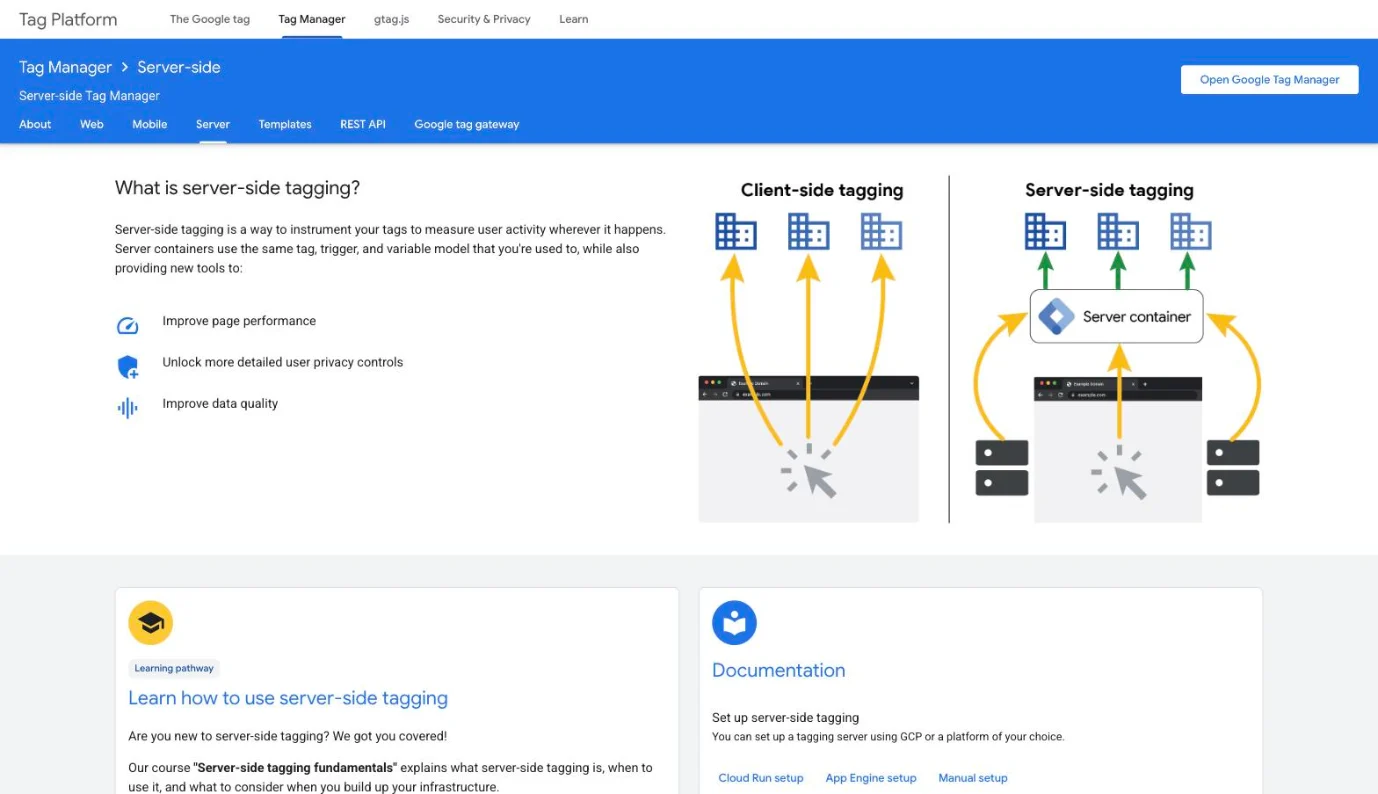
Google Tag Manager server-side tagging page comparing client-side and server-side tagging

Server-side GTM is the engine under Stape, TAGGRS and Addingwell. Google gives you the container for free: you deploy the tagging server on Cloud Run or your own infrastructure, point a subdomain at it, and decide which data each vendor receives. Nobody hosts, monitors or supports it for you.

Key features

▪Server container. Its "clients" receive requests from the browser or your backend, and server tags pass the data on to each vendor.
▪Cloud Run deployment. Set up from inside Tag Manager or manually in Google Cloud, scaling with traffic.
▪Custom domain. Running the server on your own subdomain makes it first-party and lets it set cookies that page scripts can't read.
▪Transformations. Rules that decide which parameters each tag may see, add or lose.
▪Consent mode for Google tags. Consent set in the web container travels with each request, and Google's server tags adjust what they send.
▪Server APIs. Firestore and BigQuery lookups for enriching events, for example adding margin before a conversion goes to Google Ads.

Strengths

Total control at software cost zero. Every parameter that leaves your server is your decision, and the only bill is Google Cloud.
First-class Google Ads support. Conversion, remarketing and user-provided data tags are built in, including enhanced conversions.

Limitations

You run the servers. Google's docs put a production server at roughly $45 to $50 a month and recommend at least two, plus logging, egress and a load balancer for same-origin setups.
No monitoring or alerts. Preview mode shows a single session. If a tag stops firing at 2 a.m., nothing tells you.
Non-Google destinations are DIY. Meta, TikTok and others run on community templates you install and maintain.
No measurement layer. It moves data. Attribution, profit and new-versus-returning analysis happen somewhere else.

Pricing

Tag Manager is free. Hosting is billed by Google Cloud for the servers, logs and network traffic you use.

Reviews

G2 rates Google Tag Manager as a whole at 4.6. Reviewers value the price and the single place to manage tags. The ones who've tried the server container say it's much harder than web GTM, with weaker documentation and a hosting bill on top.

Bottom line

If you have the people, server-side GTM is the most flexible option here and the cheapest in licenses. If you don't, a managed host or a platform that does the sending for you will cost less in practice.

Triple Whale

★4.5

Best for: Shopify brands that want attribution, creative analysis and an AI assistant in one suite, with server-side sending included in the paid plans.
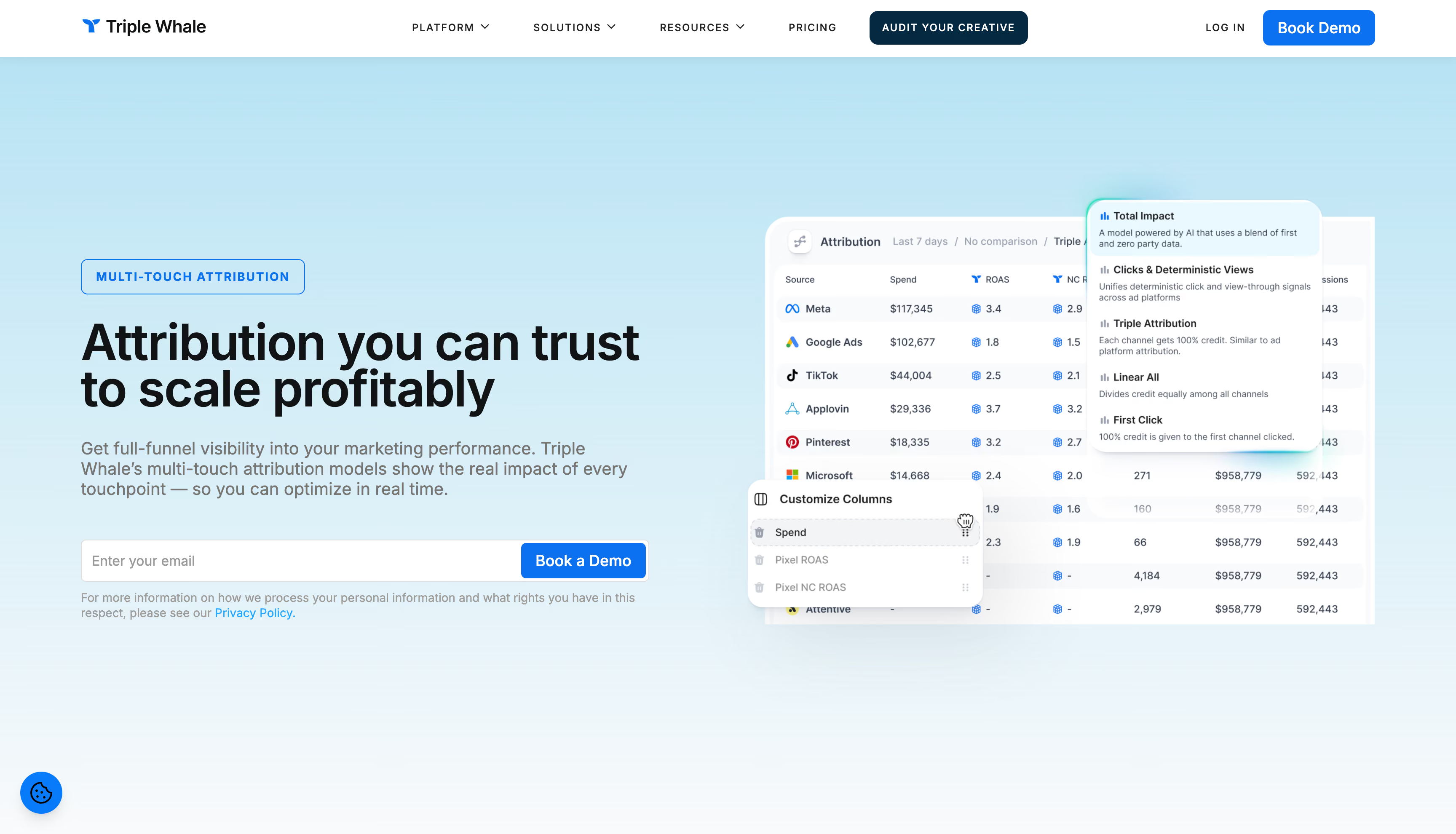
Triple Whale homepage presenting its ecommerce dashboard and Moby AI agents for Shopify brands

Triple Whale's server-side story has two parts. The Triple Pixel collects first-party data on your store, and Sonar sends it on: Sonar Optimize enriches events and passes them to the ad platforms' conversion APIs, and Sonar Send feeds email and SMS tools. Around it sit multi-touch attribution, Moby, the AI layer, and Compass for mix modeling on the larger plans.

Key features

▪Triple Pixel. A first-party pixel that links ad views, visits, devices and orders through an identity graph.
▪Sonar Optimize. Sends enriched events to ten platforms, including Meta, Google, TikTok, Snapchat, Pinterest and Reddit, and can pass Triple Whale's own attribution to Meta.
▪Sonar Send. Pushes on-site behavior to Klaviyo and Attentive so abandonment flows fire for more visitors.
▪Profit Optimization. Adds a net revenue figure to purchase events sent to Meta.
▪Moby. An AI analyst, with automations and actions on the higher plans.
▪Compass. Mix modeling and incrementality, an add-on below Enterprise.

Strengths

The widest destination list among attribution tools. Ten platforms receive Sonar events, more than any other attribution suite here.
Sending is part of the plan. Sonar comes with every paid package, with no separate server-side bill.

Limitations

Profit stops at net profit. COGS, shipping, payment fees and custom expenses come off, but there's no contribution margin to judge channels on.
No new, returning and reactivated split. Customers split into new and returning only, which leaves win-back orders sitting with repeat buyers.
New customers are counted per store. A shopper who buys on your marketplace and then your site counts as two new customers.
Shopify first. Sonar on WooCommerce and BigCommerce is in beta and needs a developer, and deduplication isn't automatic for every destination.

Pricing

A free plan, then Foundation at $219 a month and Automate at $749 on the Shopify App Store, scaled by annual GMV on 12-month terms. Enterprise is quoted. Compass costs extra below Enterprise.

Reviews

Triple Whale scores 4.5 on G2, 4.1 on the Shopify App Store and 3.4 on Trustpilot. Reviewers like having store and ad data in one place and like Moby. The complaints cluster around billing and notice periods, slower support after onboarding, and doubts about attribution accuracy.

Bottom line

Triple Whale gives a Shopify brand the most destinations of any attribution suite and plenty of AI on top. If decisions have to run on contribution margin across several stores, it stops short.
Compare to Admetrics →

Polar Analytics

★4.9

Best for: Shopify brands that want a managed data warehouse with ready-made ecommerce metrics, and are willing to pay separately for server-side sending.
Polar Analytics homepage presenting its Shopify data stack and margin reporting platform

Polar is a data stack first. Every customer gets a dedicated Snowflake database with a semantic layer of ecommerce metrics, and the Polar Pixel adds first-party tracking served from your own domain. Server-side sending is a separate product, sold as Advertising Signals, which takes the purchases the pixel captured and passes them, enriched, to Meta and Google.

Key features

▪Polar Pixel and Lifetime ID. First-party tracking that recognizes the same customer across sessions and devices.
▪CAPI Enhancer (Advertising Signals). Sends every order to Meta and Google Ads with hashed customer data, deduplicated against the browser pixel and refreshed every 15 minutes.
▪Klaviyo Audiences. Catches abandonment events Klaviyo misses and passes them into existing flows.
▪Business intelligence. Dashboards, custom reports, multi-touch attribution and Ask Polar for questions in plain language.
▪Dedicated Snowflake database. Your data in your own warehouse, with SQL access as an add-on.
▪Incrementality testing. Lift tests on Meta, Google, TikTok or TV, run with a Polar data scientist, on the Custom plan or standalone.

Strengths

Your own warehouse from day one. No other attribution tool here hands each customer a dedicated Snowflake database.
Margin reporting that holds up. Contribution margin reaches campaigns and SKUs, with costs from Shopify and your own expense sheets.

Limitations

Two destinations, priced separately. Advertising Signals covers Meta and Google only, costs extra, and the pixel isn't available during the free trial.
No mix modeling. Incrementality is a test service, and offline and upper-funnel channels have no model behind them.
No budget automation. Moving budget is still manual in each ad account.
Shopify-centric. Shopify is the only shop platform Polar connects, with Amazon coming in as a marketplace.

Pricing

The Core plan starts at $750 a month on the Shopify App Store, scaled by GMV, with discounts on annual terms. Advertising Signals and the Custom plan are quoted.

Reviews

Polar scores 4.9 on the Shopify App Store and 4.7 on G2. Support and quick setup come up again and again. Critical reviews mention connectors that need support to set up, data that lags, and a sales call before you can try it.

Bottom line

Polar suits a data-literate Shopify team that wants a warehouse it controls. Server-side sending is an extra purchase limited to two platforms, and acting on the numbers stays manual.
Compare to Admetrics →

Elevar

★4.8

Best for: Shopify brands that want server-side tracking installed and monitored for them, without touching GTM.
Elevar (Audiense Online) page presenting its server-side conversion tracking for Shopify brands

Elevar is now sold as Audiense Online after its owner merged it into the Audiense brand in 2026, though the Shopify app still carries the Elevar name. It runs its own server-side pipeline on Google Cloud, fed by Shopify webhooks, and its strongest idea is checking itself: every destination is compared against your Shopify orders, with alerts when the match drops.

Key features

▪Server-side destinations. 50+ marketing tools, 35+ of them server-side, including Meta, Google Ads, GA4, TikTok, Snapchat, Pinterest, Microsoft and Klaviyo.
▪Session Enrichment. A one-year server cookie ties emails and phone numbers from signups and checkouts to returning visitors.
▪Channel Accuracy Report. Compares Shopify orders with the events each destination accepted, with email alerts.
▪Server Events Log. Every event per destination, with success or error details.
▪Consent Mode. Server events follow each shopper's consent, read from Shopify or your consent tool.
▪Profit signals and predicted LTV. Profit values from the Advanced plan, predicted LTV on Premium and up.

Strengths

It flags broken tracking. The accuracy report against Shopify orders is the most direct data-quality check of any tool here.
Installed for you. A $1,000 expert installation for standard Shopify stores takes the setup off your team.

Limitations

Destinations are capped. Base and Core allow two and Advanced four, with extras at $125 a month each from Advanced up.
Profit values from $650 a month. They start on the Advanced plan, and no report shows which campaigns produced that profit.
No attribution of its own. Elevar feeds the platforms and GA4. Which channel earned the order is left to them.
Shopify first. Other store platforms need the API on Premium and up, and Elevar can't run on your own servers.

Pricing

Base is free up to 100 orders a month. Core $225 a month (2,000 orders), Advanced $650 (10,000), Premium $1,250 (30,000), Elite from $3,000 (75,000), with per-order overage. 15-day trial on select plans.

Reviews

Elevar scores 4.8 on the Shopify App Store. Reviewers praise hands-on onboarding and data that works from day one. Critical reviews cite complex setups that needed paid help, slow support and billing after uninstalling.

Bottom line

If you want server-side tracking on Shopify done for you and watched every day, Elevar is the safest pick here. It delivers data and leaves the measuring to the platforms you send it to.

Hyros

★4.9

Best for: businesses that sell through calls, applications or funnels, where a sale can close days after the click and attribution has to follow the person.

Hyros homepage presenting its identity-based ad tracking for high-ticket funnels

Hyros tracks people rather than sessions. Its Print Tracking script collects identifiers on your site, sales arrive server-to-server from payment processors and CRMs, and verified conversions go back to Meta, Google and TikTok. Each sale is tied to the ad that started it, along with that customer's lifetime value.

Key features

▪Print Tracking. Builds a profile per visitor from IP, cookies, device fingerprint, email and phone.
▪Server-side sales. Orders come in from Stripe, PayPal, Shopify and CRMs, untouched by browser blocking.
▪AI ad optimization. Verified conversions go back through Meta's Conversions API, Google offline conversions and TikTok's Events API.
▪Custom attribution models and in-platform data. Choose how credit splits and see Hyros numbers inside Meta and Google Ads Manager.
▪Customer journey and LTV cohorts. Every touchpoint per buyer, and lifetime revenue tied to the acquiring ad.
▪Call tracking. Phone and offline sales connect through CRM and payment integrations.

Strengths

Long and offline journeys. For call-closed and high-ticket sales, matching the eventual payment to the first ad is what Hyros does best.
Numbers where you buy media. Hyros revenue shows up next to the native columns in Meta and Google Ads Manager.

Limitations

Profit stops at costs of goods. Ad data links to COGS for a "true profit" figure, with no contribution margin or full P&L by channel.
Send-back covers a few platforms. Meta, Google and TikTok get conversions back, and the docs add offline uploads to Microsoft and LinkedIn.
US hosting. Data is processed in the US, which EU brands need to weigh.
Setup touches every ad. Tracking parameters go on each ad, which can reset Meta and TikTok's learning phase.

Pricing

Hyros quotes prices on a call, scaled by tracked monthly revenue. Its own pages mention starting points from about $199 to $230 a month for smaller accounts. There's a 90-day money-back guarantee, and Hyros calls itself a poor fit below $5,000 a month in ad spend.

Reviews

Hyros scores 4.9 on Trustpilot, and almost every review credits a named onboarding rep and data that beats the native platforms. The few critical comments describe a busy interface and a learning curve. Hyros has no G2 rating.

Bottom line

For lead- and call-driven businesses, Hyros tracks the person all the way to the sale. An EU ecommerce brand that judges channels on contribution margin will find it thinner.
Compare to Admetrics →

TAGGRS

★4.6

Best for: EU brands and agencies that want hosted server-side GTM with the same tracking features on every plan, and a clear view of how consent affects their data.
TAGGRS homepage presenting its server-side tracking and sGTM hosting platform

TAGGRS is a Dutch host for server-side GTM. Its pitch against the bigger hosts is simple: the plan follows your request volume, and the tracking features don't change between tiers. Alongside hosting it offers a Meta CAPI gateway, a script that hides tracking requests from blockers, and dashboards for blocked events and consent rates.

Key features

▪Server GTM hosting. Containers on your own subdomain, from 10,000 free requests a month.
▪Enhanced Tracking Script. Replaces the GTM snippet and encrypts browser-to-server requests so blockers can't match them.
▪Click ID and cookie recovery. Restores Google Ads click IDs and extends cookies Safari cuts short.
▪Data Enricher. Adds geo, device, browser and a bot flag to server events.
▪POAS Tracking Connector. Works out profit per order from a cost feed and sends it as the conversion value to Google Ads, Meta and GA4.
▪Consent Approval Graph. The consent rate split into granted, denied and not set, plus conversions by consent state on Pro and up.

Strengths

Little feature gating. Tracking capabilities are the same on every plan, and a small store isn't locked out of the useful parts.
Consent made visible. Few tools show how much of your data, and how many conversions, depend on consent.

Limitations

GTM work stays with you. The Shopify setup means importing web and server containers and configuring each tag, a job TAGGRS sells as a service.
Tracking stops at the limit. Above your plan's requests, data stops reaching the platforms, and there are no refunds.
Profit only as a conversion value. POAS changes what Google and Meta receive. There's no attribution or profit reporting to check it against.

Pricing

Free up to 10,000 requests. Basic from €22 a month (750,000), Pro from €57 (3 million), Ultimate from €127 (10 million); annual billing saves 13%. Implementation is quoted; a setup audit costs €180 to €360.

Reviews

TAGGRS scores 4.6 on Trustpilot and 5.0 on G2. Reviewers name support staff who walked them through setup. The few complaints are about having to email support to cancel.

Bottom line

TAGGRS is the straightforward EU alternative to Stape, with consent reporting built into every paid plan. Like Stape, it gets data out and measures nothing that happens afterward.

Littledata

★4.8

Best for: Shopify and subscription brands that want server-side tracking without GTM, installed in an afternoon.
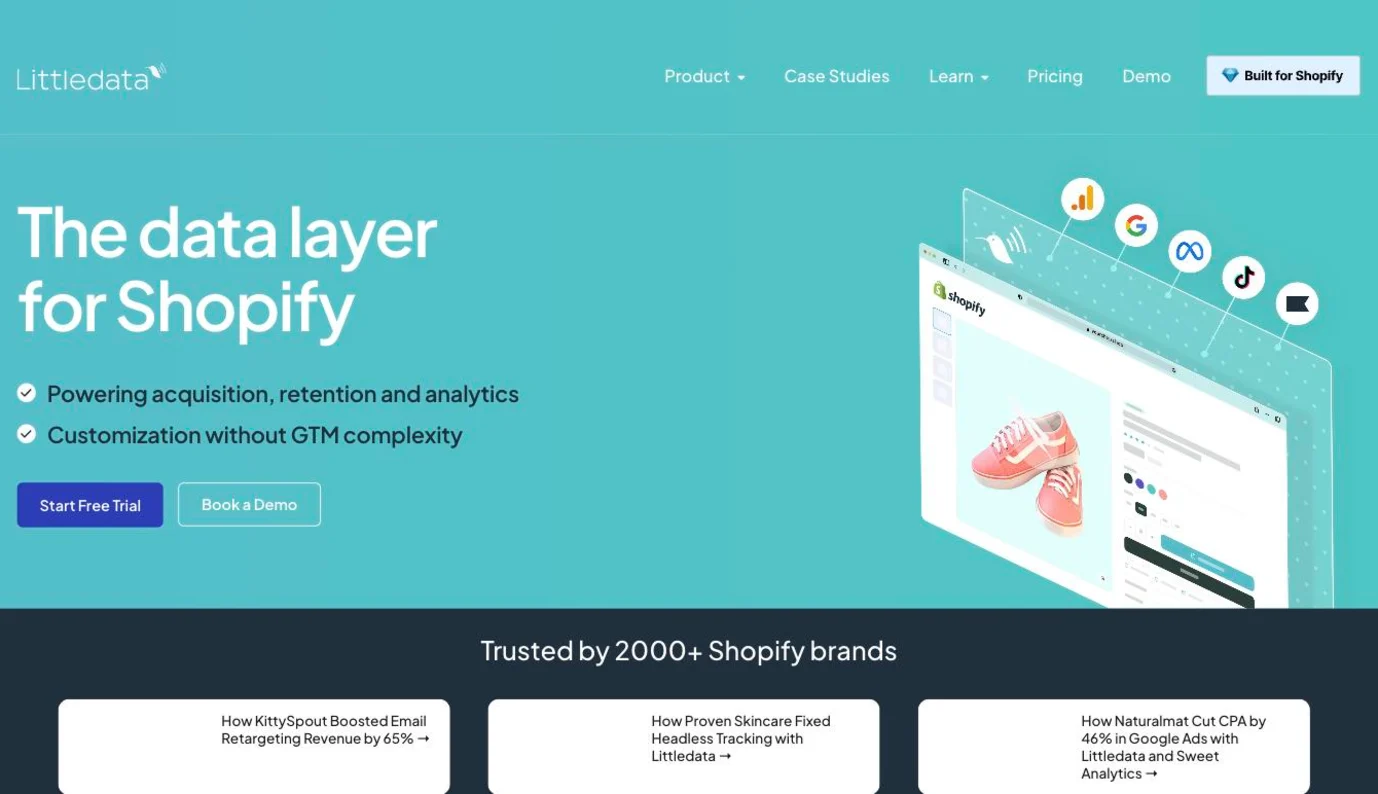
Littledata homepage presenting its server-side data layer for Shopify stores

Littledata is a Shopify app that sends events straight from Shopify's order system rather than the browser. There's no container to build: you install the app, add an embed, and pick destinations. Its depth is in Shopify specifics, from Checkout Extensibility to Recharge subscriptions, where first and repeat orders get labeled and credited to the original source.

Key features

▪Server-side tracking for Shopify. Purchases, refunds, checkout steps and subscriptions to GA4, Meta, Google Ads, TikTok, Pinterest, Microsoft Ads, Klaviyo, Attentive and Segment.
▪Session Enrichment. Links server-side orders to their marketing source to cut "Direct" revenue in GA4.
▪Persistent ID. Recognizes returning shoppers for up to a year after their cookies expire.
▪Profit Signal (beta). Sends gross profit with the order to Google Ads and Meta.
▪Event Editor (beta). Adds Shopify metafields like loyalty tier or subscription status to events.
▪Recharge subscription tracking. First, recurring and one-time orders labeled and attributed.

Strengths

No GTM at all. It runs off Shopify's own data, which puts it among the quickest installs here.
Subscription detail. Each renewal is credited to the source of the first order, which subscription brands need for an honest acquisition cost.

Limitations

US-only hosting. Data sits in AWS US-East and never leaves the US, which EU brands need to weigh.
Consent is opt-in per destination. Unless you switch consent mode on, Littledata tracks every shopper whatever the banner says.
Shopify only, no attribution or profit view. There's no other store platform, and the app has no reports of its own.
Profit is still in beta. Profit Signal covers Google Ads and Meta only.

Pricing

On the Shopify App Store: Flex at $0.35 per order with no monthly fee, Scale $199 a month (1,500 orders), Plus $990 a month (10,000 orders). Annual billing saves 20%, and every plan has a 30-day trial.

Reviews

Littledata scores 4.8 on the Shopify App Store and 4.7 on G2. Easy installs, orders that match GA4 and Meta, and quick chat support come up most. Critics point to price jumps at usage thresholds and support that dismissed tracking problems.

Bottom line

Littledata is one of the fastest ways to put a Shopify store on server-side tracking. EU brands should check the US hosting first, and measurement still happens elsewhere.

Tracklution

★4.6

Best for: small and mid-size teams that want server-side conversions to Meta and Google within the hour, with no container to maintain.
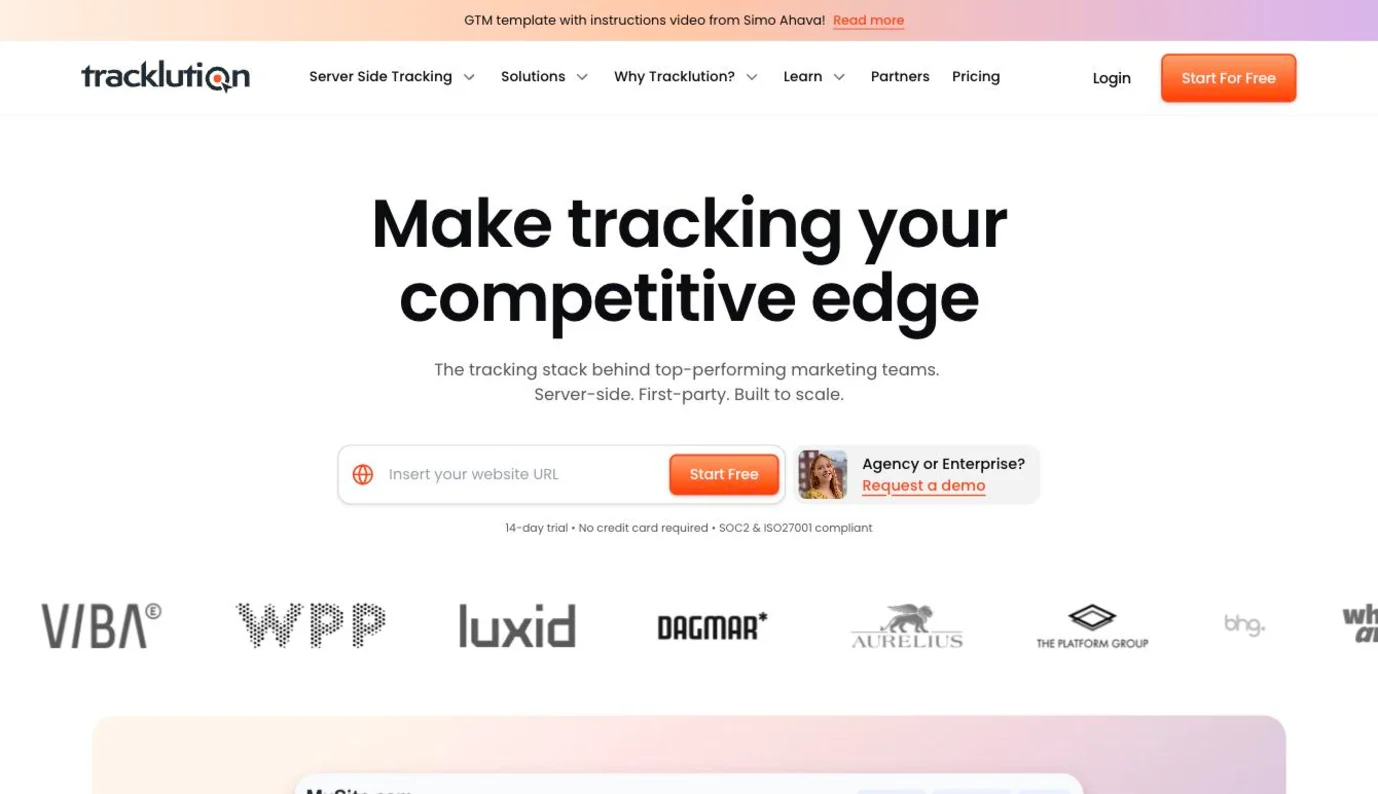
Tracklution homepage presenting its server-side, first-party tracking without GTM

Tracklution skips GTM altogether. A first-party script and webhooks feed its own pipeline, and prebuilt connectors deliver conversions to each platform's API. Tracklution maintains those connectors as the platforms change, so you configure destinations rather than tags. Data is hosted on AWS in Stockholm.

Key features

▪Conversion API connectors. No-code delivery to Meta, Google Ads, TikTok, GA4, LinkedIn, Pinterest, Snapchat, Microsoft and Reddit, deduplicated automatically.
▪First-party mode. An optional CNAME on your domain so collection runs first-party.
▪Consent Mode. Basic and advanced, with cookieless pings to Google when consent is denied.
▪Offline conversions. Calls, in-store sales and CRM leads through webhooks.
▪Event creation rules. Change values, filter test traffic or tag new versus returning buyers without touching the site.
▪Event-level debugging. Each event's delivery status and the platform's response in the dashboard.

Strengths

Fast to live. No container or tag configuration, which is why reviewers keep mentioning how easy setup was.
See exactly what each platform got. The event log shows the payload and response per conversion.

Limitations

No independent attribution. First and last paid click only change how the dashboard tags conversions and don't replace platform attribution.
No profit reporting. Profit can be added through webhooks, but nothing shows margin by campaign.
Consent defaults to granted. If your banner sets no default, Tracklution treats visitors as consented.
Thin free plan. One site, Meta and Google only, 5,000 events.

Pricing

Free up to 5,000 events. Grow from €39.20 a month billed annually, including 50,000 events, then €0.0008 per event up to 3 million. Enterprise and agency plans are quoted. 14-day trial.

Reviews

Tracklution scores 4.6 on Trustpilot and 5.0 on G2. Reviewers praise quick setup, accurate data and support that answers at weekends. Complaints are rare and mostly about the first setup.

Bottom line

Tracklution is one of the quickest routes from no server-side tracking to working Meta and Google conversions. Judging what those conversions earned stays with another tool.

Addingwell

★4.8

Best for: brands and agencies that run server-side GTM and want the strongest monitoring and consent auditing around it.
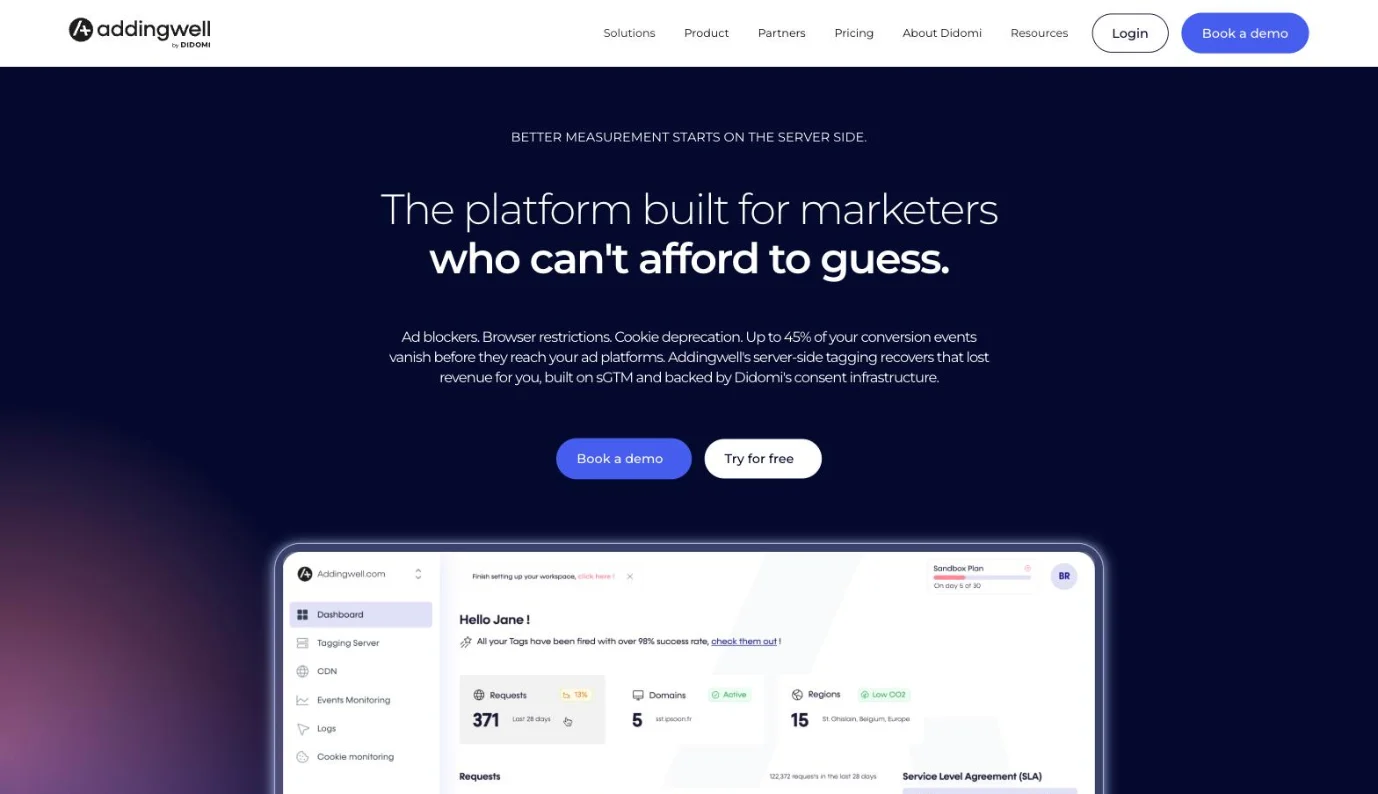
Addingwell homepage presenting its server-side tagging platform with tag monitoring

Addingwell is a French host for server-side GTM, bought in 2025 by Didomi, the consent-management company. That parentage shows: alongside hosting, it records the consent state of every tag the server fires and alerts you when tags fail, volumes drop or events duplicate.

Key features

▪sGTM hosting. Containers on your own domain, with multi-region deployment.
▪Ad-blocker bypass. Serves GTM, GA4 and collection requests from paths on your own subdomain.
▪Cookie Restore and reverse proxy. Two ways to keep cookies alive past Safari's seven-day cap.
▪Tag health monitoring and alerts. Success and error rates per tag, and alerts for drops, data holes and duplicates.
▪Event Consent Monitoring. The consent status attached to every request the container sends.
▪Margin-based optimization. Sends margin instead of revenue to Google Ads and Meta.

Strengths

Monitoring that catches problems. Alerts for failed tags, volume drops and duplicated events beat what most hosts offer.
Consent you can audit. A DPO can see which tags fired with which consent, request by request.

Limitations

GTM setup stays with you. You configure every tag yourself or through one of its 250+ partners.
One shop app. Only Shopify has a ready-made app; other platforms are manual.
No attribution or profit reporting. Margin goes to the platforms, and nothing shows which campaign earned it.

Pricing

Free up to 100,000 requests a month. Paid plans from €90 a month, scaled by volume, with extra domains at €10 each. Enterprise is quoted.

Reviews

Addingwell scores 4.8 on Trustpilot and 5.0 on the Shopify App Store. Reviewers single out patient, expert support by name. Negative reviews are almost absent.

Bottom line

Of the GTM hosts, Addingwell does the most to show you when something breaks and whether consent was respected. What happens to the conversions after delivery is outside its scope.

Twilio Segment

★4.5

Best for: companies with engineers who want one collection layer feeding hundreds of tools, server-side destinations included.
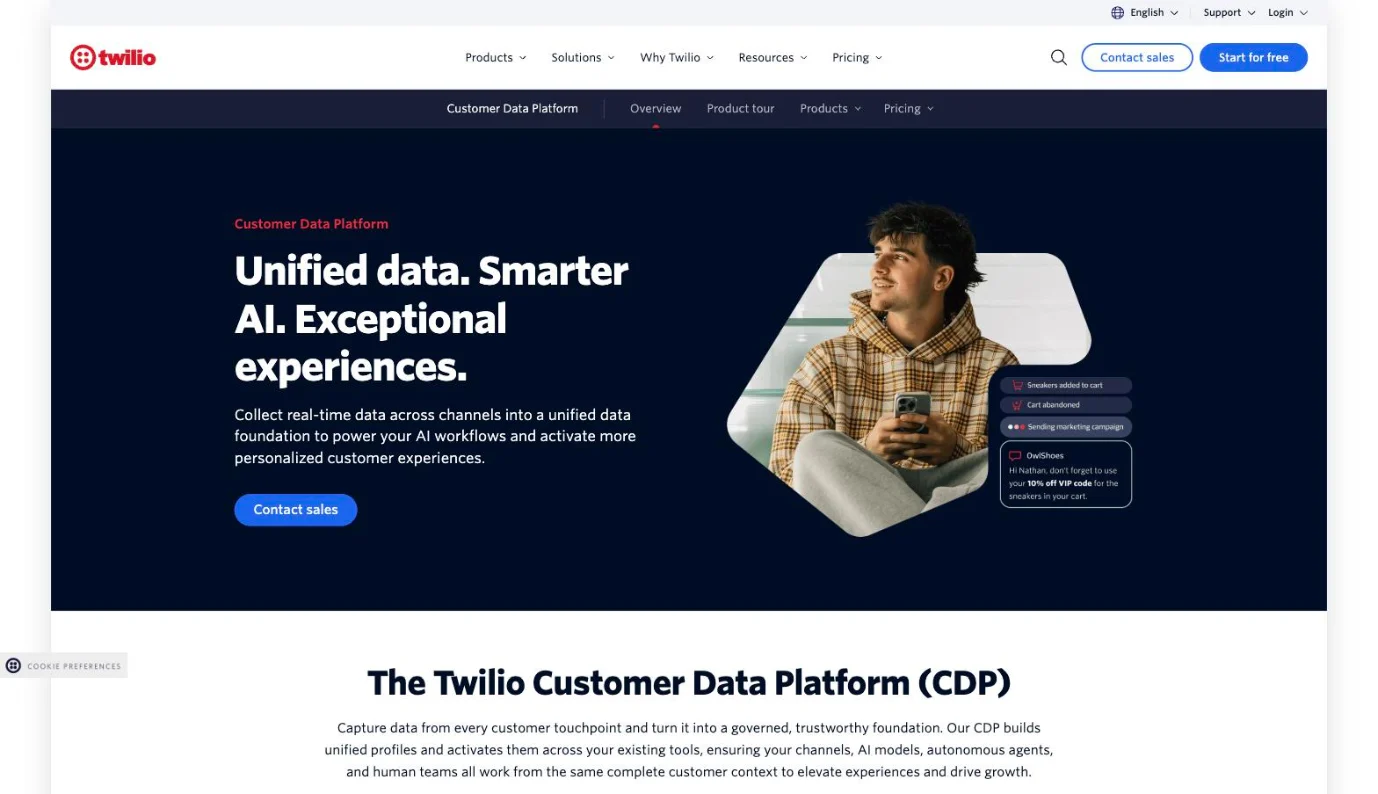
Twilio Segment customer data platform page

Segment is a customer data platform rather than a tracking tool. You instrument events once through its SDKs or APIs, and Segment routes them to more than 550 destinations, many of them server-side. Identity resolution, audiences and data governance sit on top as Business-tier add-ons.

Key features

▪Connections. One API for web, app and server events, routed to 550+ destinations.
▪Custom Domain. A managed first-party subdomain for collection (Business tier), or a self-managed proxy on other plans.
▪Protocols. A tracking plan that validates events and blocks bad ones.
▪Delivery Overview and alerts. Where events drop on the way to each destination, and why.
▪Functions. Custom JavaScript sources and destinations.
▪Unify and Engage. Identity resolution and audiences synced to ad platforms (Business add-ons).

Strengths

Collect once, send anywhere. No other tool here reaches as many destinations from one implementation.
Governance. Tracking plans and delivery reporting keep large event schemas clean.

Limitations

No native Shopify source. Shopify data arrives through partner apps from Littledata or Fueled, each with its own subscription.
Engineering required. Custom tracking means SDK work and an event taxonomy.
Priced by visitors. Anonymous visitors count toward the bill, which adds up fast for a busy store.
The essentials sit on Business. Managed custom domain, consent management and EU data residency all need the top tier.

Pricing

Free for 1,000 visitors a month. Team from $120 a month for 10,000 visitors, billed monthly or annually. Business is quoted.

Reviews

Segment scores 4.5 on G2 and 4.7 on Capterra. Reviewers value the integration catalog and the developer time it saves. Price is the top complaint, followed by the effort custom tracking takes.

Bottom line

Segment fits a company that treats event data as infrastructure. For a store that wants better Meta and Google conversions, it's a lot of platform for the job.

One tool for the loop, or a stack of specialists?

The usual stack looks like this: Stape or another host sends events to Meta and Google Ads, an attribution suite such as Triple Whale or Polar credits the channels, a spreadsheet adds product cost, shipping and returns, and a media buyer moves budget by hand each Monday. Every piece can be well chosen, and the licenses look modest next to $50,000 of monthly ad spend.

The larger cost is reconciliation. Each tool keeps its own copy of the order, and someone spends part of every week working out why Shopify, Meta Events Manager, the attribution suite and the margin sheet disagree.

Decisions wait for that work. By the time the sheet shows a campaign sold mostly low-margin, high-return products, it has spent another week of budget. The profit value Stape sends to Meta may not match the margin your spreadsheet uses either, which leaves the algorithm and the team optimizing toward different numbers.

A stack of specialists still makes sense in some setups:

▪You have an in-house data team. A warehouse, someone who owns the models and engineers who maintain sGTM can build their own loop, and a specialist host gives them the most control.
▪A GTM agency owns delivery. If an agency already builds and monitors your server container, swapping it out buys you little on the sending side.
▪You run one channel. A brand spending nearly everything on Meta has little to allocate across channels, and a good host plus Meta's own reporting may be enough.

Stape and Admetrics can run side by side. Stape keeps hosting the server container and feeds the destinations Admetrics doesn't serve, such as affiliate networks. Admetrics handles tracking, measurement, profit and budget, and can take over sending to Meta, Google and TikTok so those events carry contribution margin. Pick one sender per ad platform, then switch off the matching tag on the other side, or the same purchase reaches Meta twice.

Best server-side tracking tool: final verdict

Admetrics is the best server-side tracking tool for ecommerce brands that judge ad spend on profit. It does what the hosts do, first-party tracking and server-to-server conversions to Meta, Google and TikTok, and then the jobs they leave to other tools: multi-touch attribution, contribution margin and POAS down to the SKU, and Ad Pilot moving Meta budgets inside your limits. It connects Shopify, Shopware and custom stores, keeps data on German servers, and starts at $399/month, with S2S pushback as an add-on and Ad Pilot on the $899 Business plan.

The others fit narrower jobs. Stape and TAGGRS are the cheapest managed sGTM hosts, from $17 and €22 a month, and Addingwell has the strongest monitoring and consent auditing. Google's own server container gives full control to teams that can run it. Elevar and Littledata put a Shopify store on server-side tracking without GTM, Elevar with the best checks against Shopify orders and Littledata with the most subscription detail. Tracklution is one of the quickest no-GTM routes to Meta and Google, hosted in Stockholm.

Triple Whale comes closest to the full loop for Shopify brands but stops at net profit, with no contribution margin. Polar suits teams that want their own Snowflake warehouse and can live with sending to two platforms. Hyros fits call- and funnel-driven sales, and Segment fits companies that treat event data as infrastructure.

Start the 21-day Admetrics trial on your own orders and put its contribution margin by channel next to what your current stack reports. Where the two disagree is where your budget needs a second look.

Book a demo