Black Friday and Cyber Monday are decided in hours, while standard attribution windows measure performance in days or weeks.
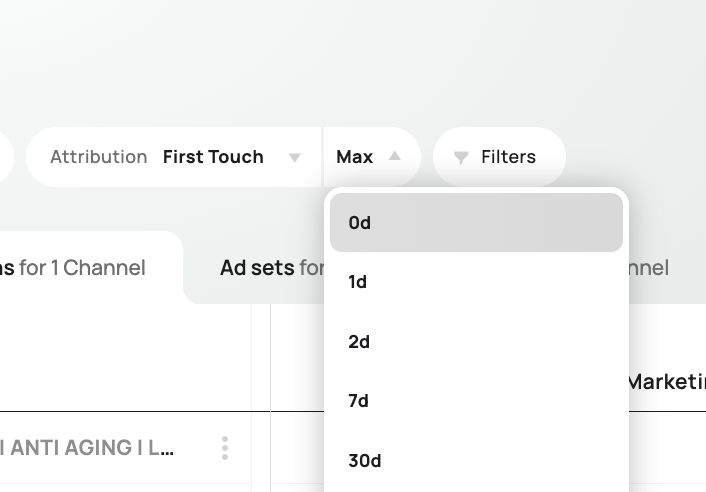
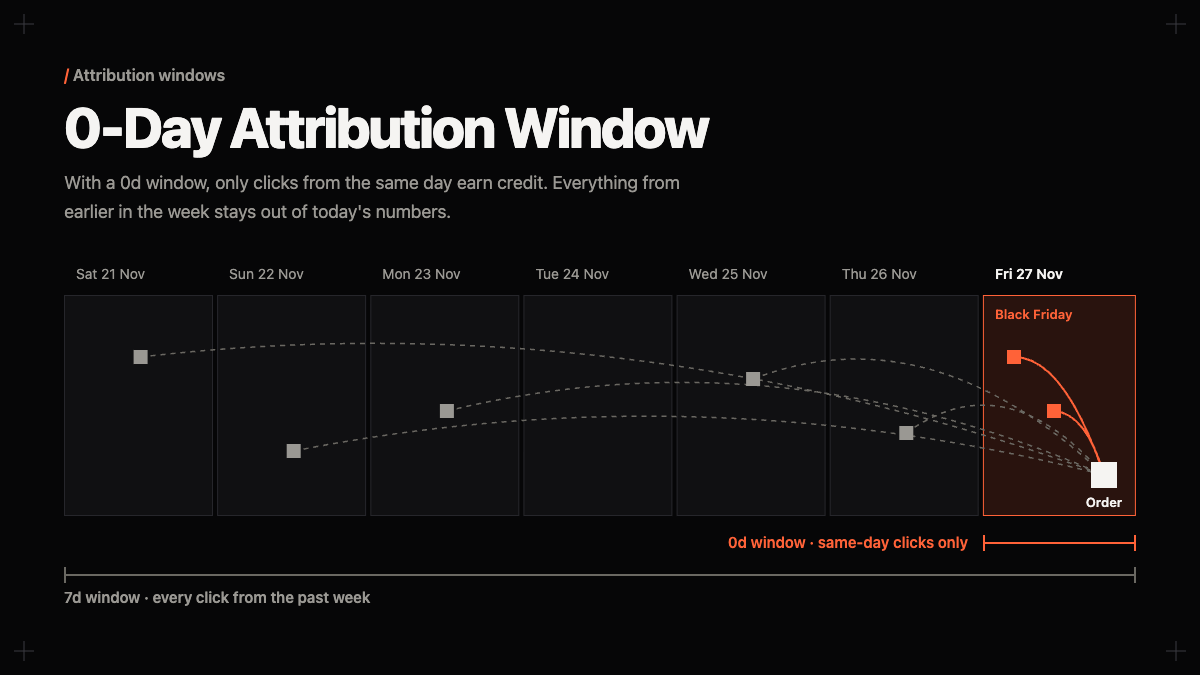
Starting today, Admetrics has a 0-day attribution window for almost every model. Only clicks from the same day receive credit. An ad someone clicked last Tuesday stays out of today's numbers, leaving you with what is actually making people buy right now.
Why multi-day windows distort Cyber Week
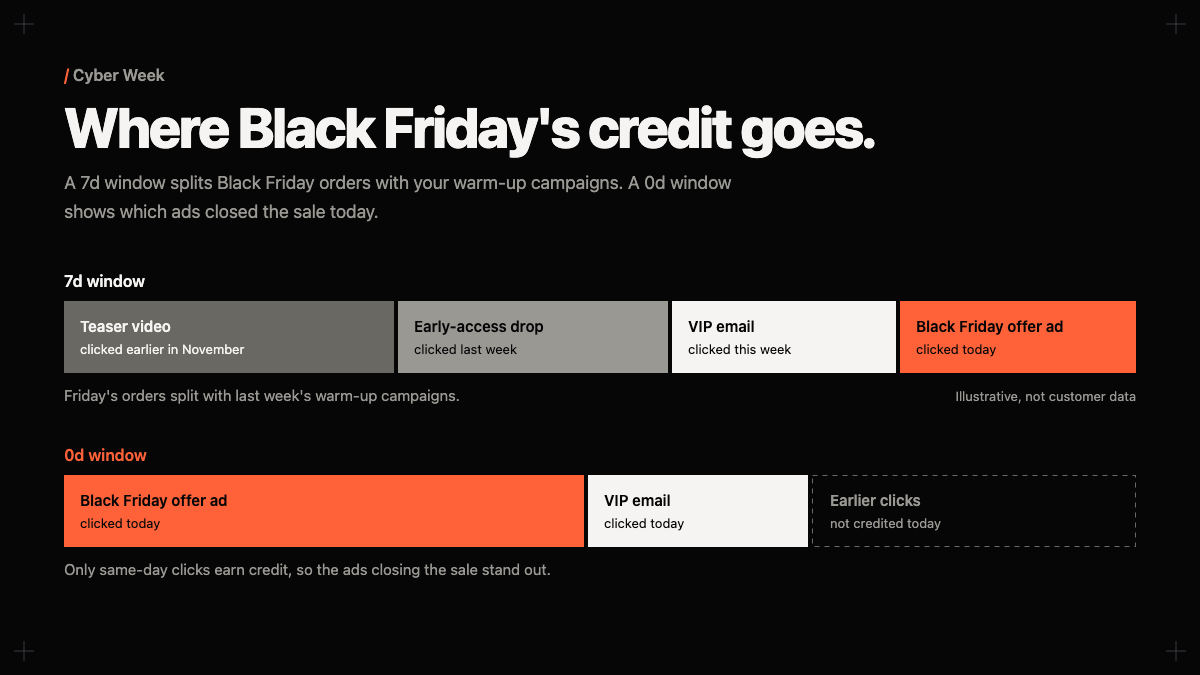
Black Friday is no longer a single 24-hour spike. Brands run early-access drops, VIP lists, and teaser campaigns across November, building warm audiences weeks before the main event. When Cyber Week arrives, a 7-day or 28-day attribution window blends today's orders with clicks from earlier promotions.
At the same time, auction prices climb across Meta, Google, and TikTok as advertisers compete for peak traffic, while deeper discounts tighten your break-even ROAS. If your reports credit today's sales to an upper-funnel video or teaser ad from last week, two problems happen:
- Prospecting campaigns look artificially strong on Friday morning because they collect delayed conversions from shoppers who waited for the discount to go live.
- Your actual closing ads get underfunded because their immediate, same-day conversions are diluted or split with earlier touchpoints.
When you manage budgets hour by hour across Black Friday, the weekend, and Cyber Monday, trailing credit hides which ads are converting shoppers today and which campaigns are coasting on older traffic.
What you see with a 0-day window
- The ads driving the rush: View ad-level performance hour by hour to see which creatives and offers convert right now.
- Campaigns coasting on older clicks: Spot campaigns that rely on last week's warm-up traffic before noon.
- Intraday budget adjustments: Scale high-performing ads at 10:00 AM and pause underperformers by lunch before daily caps run dry or wasted spend piles up.
- One clock across every channel: Compare Meta, Google, TikTok, and email using the exact same same-day standard.
How to use it during BFCM
The 0-day window is live now across Admetrics. You can select 0-day in any report, dashboard, or attribution model except Adaptive Attribution, which calculates credit across multi-day customer journeys.
To get a clear read during Cyber Week, place the 0-day window directly next to your 7d window in a report:
- Watch the gap on Friday morning: Campaigns with high
7dROAS and low 0-day ROAS are harvesting conversions from your November warm-up phase. Keep them running if they are profitable, but do not mistake them for intraday closers. - Scale the 0-day leaders: Campaigns with strong 0-day ROAS are capturing active Cyber Week demand. These are the campaigns to feed when you raise daily budgets mid-day.
- Reset for Cyber Monday: Because Cyber Monday attracts a different wave of last-chance shoppers, switching to 0-day on Monday morning prevents Friday and weekend clicks from muddying Monday's fresh creative tests.

Common questions
Which models work with the 0-day window?
You can use 0-day with First Click, Last Click, Linear, Time Decay, and Position-Based models across all reports and dashboards. Adaptive Attribution is excluded because its model requires multi-day path data.
Should I stop using 7-day or 28-day windows?
No. Multi-day windows remain necessary for evaluating how your November warm-up and upper-funnel campaigns introduce new shoppers over longer buying cycles. The 0-day window is built specifically for peak trading days when immediate conversion velocity and intraday pacing matter most.
Do I need to change my tracking setup?
No. If your store is already connected to Admetrics, 0-day is available in your attribution window menu right away.
Try it on your account
Log into Admetrics, switch your attribution window to 0-day, and see which campaigns convert when only today counts. If you do not have an Admetrics account yet, setup runs alongside your existing tracking so you can compare your numbers directly.