Winning ad scripts don’t just happen—they’re built, tested, and optimized over and over. But reworking scripts from top-performing references shouldn’t be a bottleneck. That’s where smart use of generative AI tools like Google AI Studio (Gemini) and Claude (integrated with TypingMind) comes in.
The AI-First Script Rewrite Workflow
Below, you’ll find a step-by-step playbook for efficiently rewriting and adapting scripts using AI—designed for growth marketers, media buyers, and creative strategists who want to streamline the process without sacrificing quality or brand nuance. Read more about how to create your TikTok ads creative strategy.
Start with a Strong Reference
Every successful ad script has its roots in inspiration—and in the world of DTC and ecommerce, that inspiration often comes from ads that have already proven their effectiveness. To kick off the script rewriting process, your first task is to identify a reference that’s truly worth emulating. This could be one of your own top-performing ads, which you know resonates with your audience and drives results, or it might be a standout piece of user-generated content (UGC) from a competitor that’s clearly getting engagement.
The key here is to choose reference material with a track record. Don’t just select an ad because it looks good—pick one backed by data: high conversion rates, strong retention, or exceptional engagement. If you’re working with a team, share recent campaign analytics and get everyone on the same page about what “success” looks like in your niche or vertical.
You can find a great best in class library in the TikTok Creative Center.
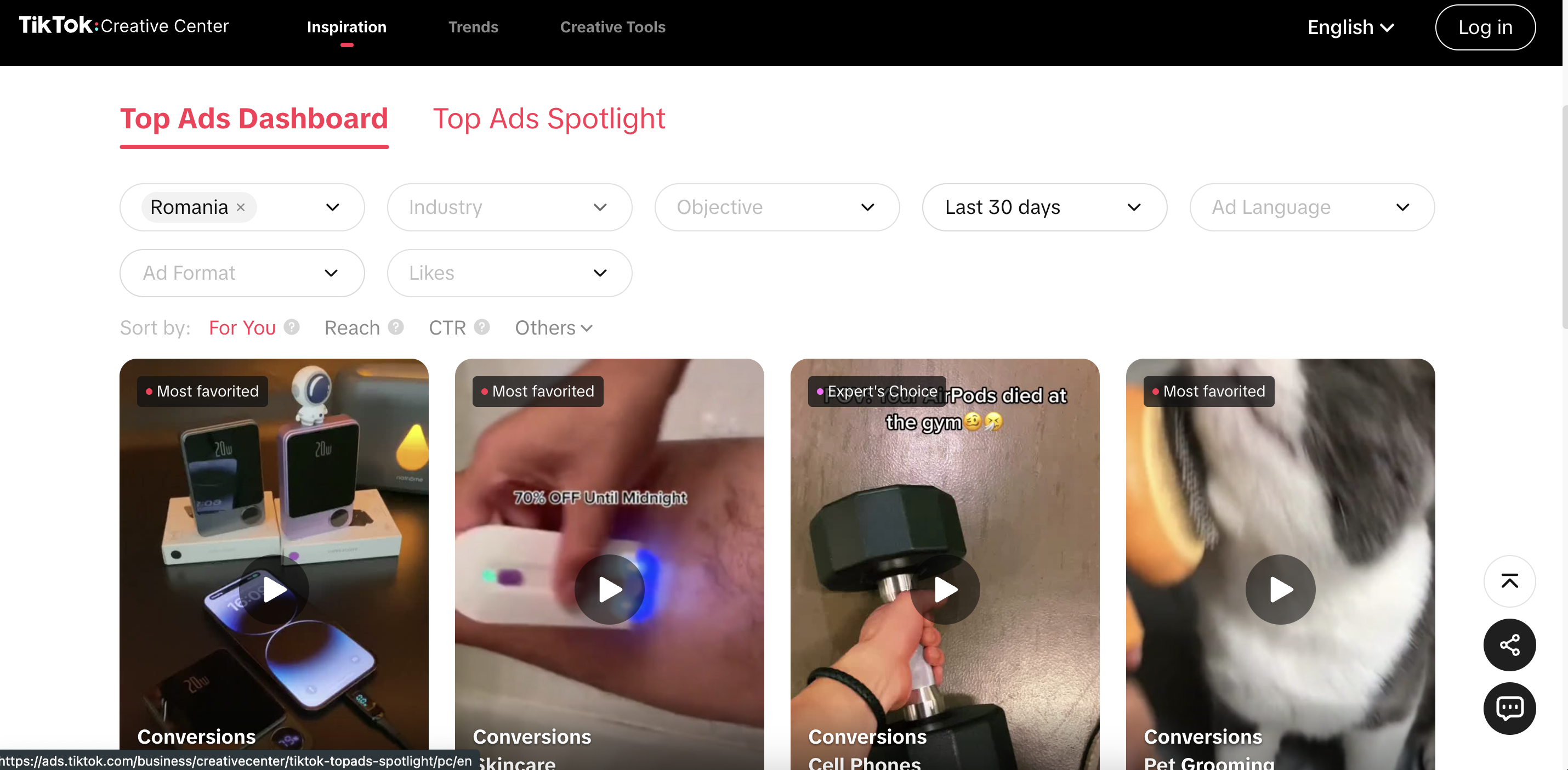
Once you’ve pinpointed the right ad, download it so you can analyze it in detail. Watch the video multiple times, paying close attention to every element—not just what’s being said, but how it’s being delivered. Ask yourself targeted questions:
- Voice: What’s the tone and energy level? Is it casual, authoritative, playful, or aspirational?
- Structure: How is the information sequenced? Are there clear sections (hook, problem, solution, CTA)?
- Hook: What’s grabbing attention in the first few seconds? Is it a visual, a question, a bold statement, or something unexpected?
- Flow: How does the ad transition from one point to another? Is it seamless, punchy, or story-driven?
Document your observations. These details will help you and your team reverse-engineer the secret sauce of the ad’s effectiveness, giving you a strong foundation to guide the AI and ensure your rewritten script maintains the qualities that made the original so compelling.
Fire Up Your AI Workspace
Once you have your reference material in hand, it’s time to bring your AI tools into play. This is where the magic of script rewriting and rapid creative iteration really begins. Start by logging into your team’s preferred workspace—many high-performing DTC and ecommerce teams use platforms like TypingMind because it acts as a central hub, bringing together different AI models and streamlining collaboration. Within TypingMind, you can easily access Google AI Studio (powered by Gemini) to leverage some of the most advanced generative AI features available for script analysis and creation.
But don’t worry if you don’t have TypingMind set up—this process is flexible. You can accomplish much of the same workflow by using Claude on its own. The real goal here isn’t about the tool itself, but about making sure everyone on your team is operating from a single, shared workspace. Centralization is crucial: it avoids version control issues, reduces communication gaps, and helps your creative, performance, and strategy teams stay aligned as you generate and refine new scripts.
Take a moment to organize your digital workspace. Make sure everyone has access to the right AI tools, prompt templates, and previous script references. This is the perfect time to set up folders or boards for each project or campaign, so your workflow stays clean and searchable. When your team can seamlessly toggle between tools like Gemini, Claude, and TypingMind—all in one place—you’ll find it’s much easier to collaborate, iterate, and move from script idea to polished draft without unnecessary friction or confusion.
Extract the Script from Your Reference Video
With your reference video selected and your AI workspace ready, you’re set to start the script extraction process—the step that transforms a finished ad into a working script you can analyze, remix, and improve. Begin by uploading your chosen reference video directly into Google AI Studio. This platform, especially when powered by Gemini, is designed to handle multimedia content, making it easy to work with video assets.
To get the best results, use a clear and specific prompt when you upload your video. For example, instruct the AI with something like:
“Please watch the attached video and convert it into a script with three columns: Visual Actions, Voiceover, and On-Screen Captions.”
Why so structured? Because breaking the script down into these three columns provides you and your team with a precise, line-by-line map of the ad. You’ll be able to see exactly what’s happening visually, what’s being said (the voiceover), and what’s shown on screen as text or captions. This separation is critical for effective rewriting, as it helps you understand not just the words but the interplay between visuals and messaging—a key factor in high-performing direct response ads.
Once you’ve entered your prompt, give the AI a moment to process the video. The output usually arrives in a neat, organized table, but don’t assume it’s perfect on the first try. Carefully review the script that the AI generates. Watch the video alongside the AI’s output and make sure each moment is captured accurately. Pay attention to details: Are any important visuals missing? Does the voiceover match what’s actually said? Are the captions timed and worded correctly?
Format & Transfer for Collaboration
Once you’ve reviewed and finalized the AI-generated script table, the next step is to make it easily editable and accessible for your team. Start by copying the script output from Google AI Studio. It’s important to keep the three-column structure—Visual Actions, Voiceover, and On-Screen Captions—intact as you transfer it.
Now, paste this script into Claude or TypingMind. If your team is using TypingMind as a centralized workspace, it becomes even easier to track revisions and collaborate in real-time. Even if you’re working solo, this step helps keep everything organized and easy to reference.
This structure makes it simple to spot where changes are needed, assign edits, or leave comments. It’s also highly repeatable—your team can easily duplicate the format for future scripts or variants, making your overall workflow much faster.
By consistently formatting your scripts this way and transferring them into a shared environment like Claude or TypingMind, you create a living library of creative assets. This sets a strong foundation for collaboration, enables easy version control, and streamlines the entire process of script ideation, review, and approval.
Prime the AI for a Rewrite
Once your script is formatted, your next step is to set up the AI for success by making sure it understands the structure and style you need. Start by pasting the original three-column script into Claude or TypingMind, then prompt the AI with:
“I’m giving you this script table from [Reference Brand]. Please repost it in the same three-column format so I can confirm you understand the structure.”
When the AI returns the table correctly, you know it’s ready for the next step. Now, give your rewrite brief with clear details about your new product, audience, and key messaging points. For example:
“Use this script format to write a new ad for [New Brand]. Instead of flu season hacks, focus on the top 5 collagen-building hacks for women over 45, highlighting premium positioning and routine-building.”
This approach ensures the AI delivers a new script that follows your proven structure, stays on-message, and is tailored for your next campaign’s specific needs.
Leverage the AI for Hook Ideation
A strong hook can make or break your ad’s performance, so don’t settle for just one option. Use your AI tool to quickly generate multiple hook ideas that are both visually compelling and suitable for UGC creators. Prompt the AI with something like:
“Generate three alternate hook ideas as a table. Each should be a visually engaging, UGC-friendly first shot that stands out and could leverage TikTok trends. Hooks must be achievable at home.”
This method encourages creative variety and can spark new directions you may not have considered. Review the AI’s output and make sure each hook feels authentic for your channel and is realistic for a creator to film in a typical home setting. Well-crafted, AI-assisted hooks can help speed up the brainstorming process and increase your chances of landing on a scroll-stopping concept.
Iterate for Audience Segments
Don’t limit your efforts to just one audience or message. Use the AI to quickly create new script variations tailored to different demographics or campaign angles. For instance, after writing your first script, you might prompt:
“Rewrite this for women just turning 30 who want to proactively build collagen, keeping the same script structure and visual flow.”
By adapting the script for specific audience segments, you maximize your reach and relevance—ensuring each version resonates with its intended viewers. This approach also allows you to efficiently test different creative angles and discover what performs best, all while maintaining consistency in your ad structure and messaging.
Review, Revise, and Document
AI is fast, but humans catch nuance. Review every output, tweak as needed, and paste final versions into Notion, Google Docs, or your script repository for future use.
Cautions & Pro Tips
- Stay On-Brand: Make sure your reference and new scripts are aligned in tone, legal compliance, and product truth.
- Audit for AI Hallucinations: Double-check for weird errors, inaccurate claims, or off-brand language.
- Audience First: Tailor every rewrite to the habits, pain points, and motivations of your target audience.
- Maximize Efficiency:
- Keep a library of references and proven scripts for fast retrieval.
- Explore voice commands (with Wispr AI, if available) for hands-free operation.
- Continuously update your prompt library as you find what gets the best results.
- Familiarize yourself with each AI tool’s quirks and strengths.
Final Thoughts
AI won’t replace creative strategists—but it will make the process radically faster and more collaborative. With the right workflow, you’ll spend less time formatting and more time testing what actually works for your DTC brand.
Ready to level up your script pipeline? Build your prompt templates, organize your reference library, and let the machines do the heavy lifting—so your team can focus on what matters: scaling great creative.